Install and test
Install Modus for your desktop, open the app, and complete its setup. Grant the device permissions it requests, then test with the audio devices you normally use for Meet.



Google Meet setup guide
Run Modus alongside Google Meet for live transcripts, suggestions and a recap without adding a bot to the participant list. Here’s how to set it up, test the audio and decide when to use Gemini’s built-in notes.
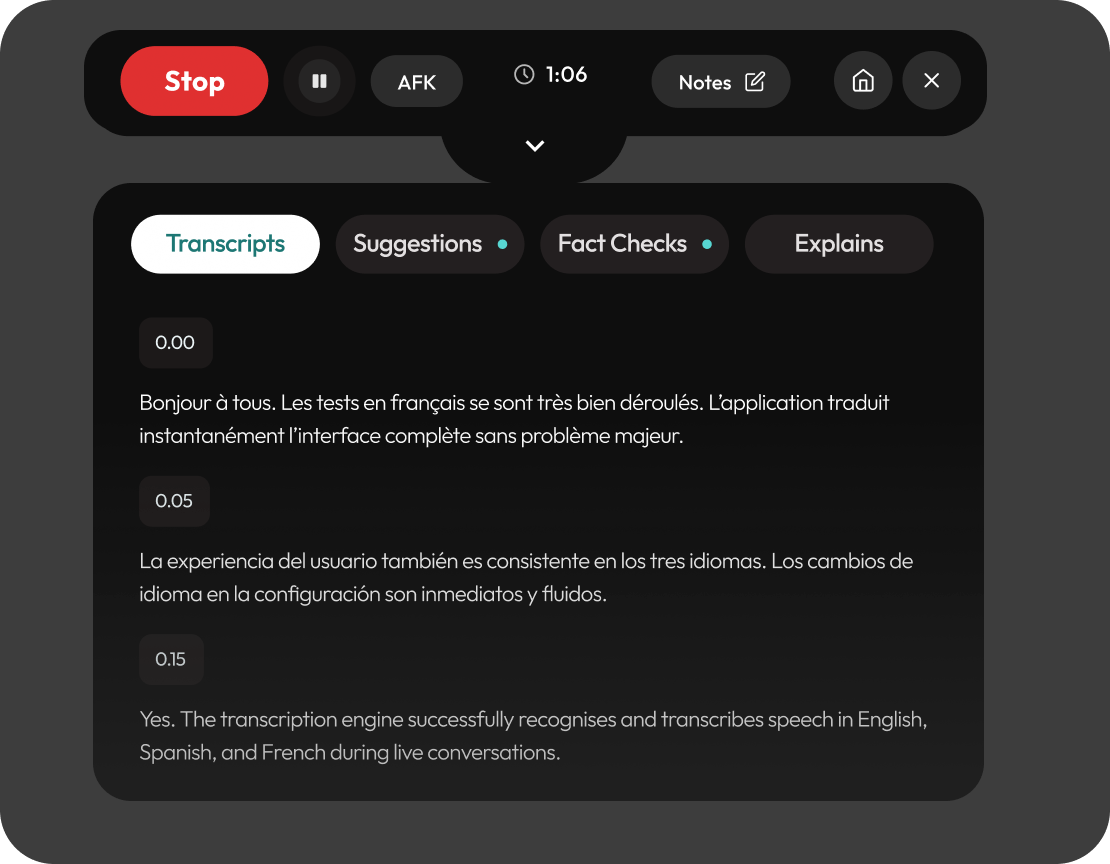
Install Modus for your desktop, open the app, and complete its setup. Grant the device permissions it requests, then test with the audio devices you normally use for Meet.
Join Google Meet as you normally would. Once participants have been notified and your meeting policy permits transcription, start listening in Modus. Ask someone to say a short sentence and check that it appears.
Stop the Modus session when the meeting ends. Review speaker names, decisions and deadlines, then share the relevant recap in the channel your team uses.
Scroll sideways to see all columns.
| When you need… | A workflow to try |
|---|---|
| A shared Google Doc for an eligible hosted meeting | Gemini’s Take notes for me can save meeting notes in Google Drive. |
| A separate assistant for calls across platforms | Run Modus alongside Meet, then use the same Modus workflow in Teams or Zoom. |
| Help with a claim during the call | Use Modus Pro’s Fact Check to find evidence to review before relying on an answer. |
When only one voice appears, check the app’s device permissions and your Meet audio output, then repeat the same quick test. Follow the meeting host’s rules and your organization’s transcription policy.

Your AI Powered Proactive Listener

Call Us:

Email Us:
info@fermionaigroup.com